Additional VM requirements for i.e. static storage is not included in these instructions.
So these instructions are written as a step-by-step list with some assistance in what to install and how to install it.
The prerequisite is that you have some experience in Linux and that you already understand what you are trying to achieve. If you do that, and install according to instructions - you should have a Kubernetes cluster up and running in 30-90 minutes (most of the time spent installing Ubuntu and upgrades).
Protocol    Direction	Port Range	Purpose                 Used By
TCP         Inbound	6443*           Kubernetes API server	All
TCP         Inbound	2379-2380	etcd server client API	kube-apiserver, etcd
TCP         Inbound	10250           kubelet API             Self, Control plane
TCP         Inbound	10251           kube-scheduler          Self
TCP         Inbound	10252           kube-controller-manager	Self

Worker node(s)
Protocol    Direction	Port Range	Purpose                 Used By
TCP         Inbound	10250           kubelet API             Self, Control plane
TCP         Inbound	30000-32767     NodePort Services†      All
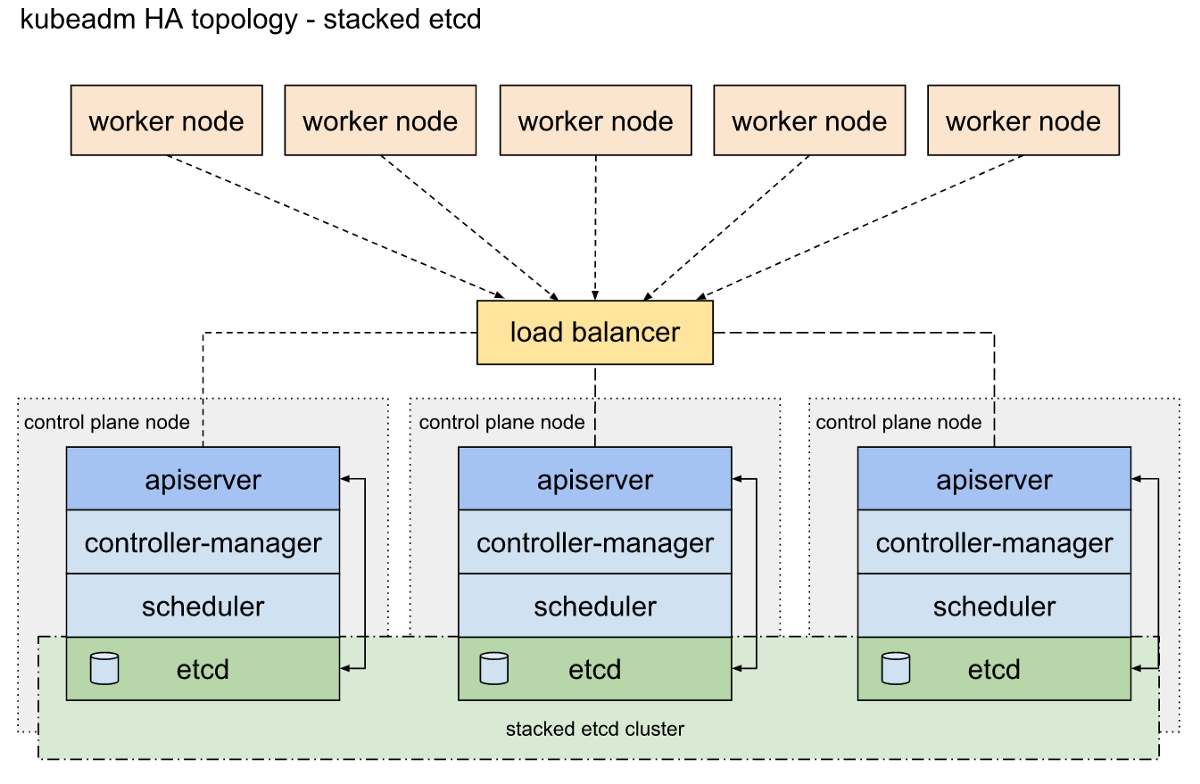
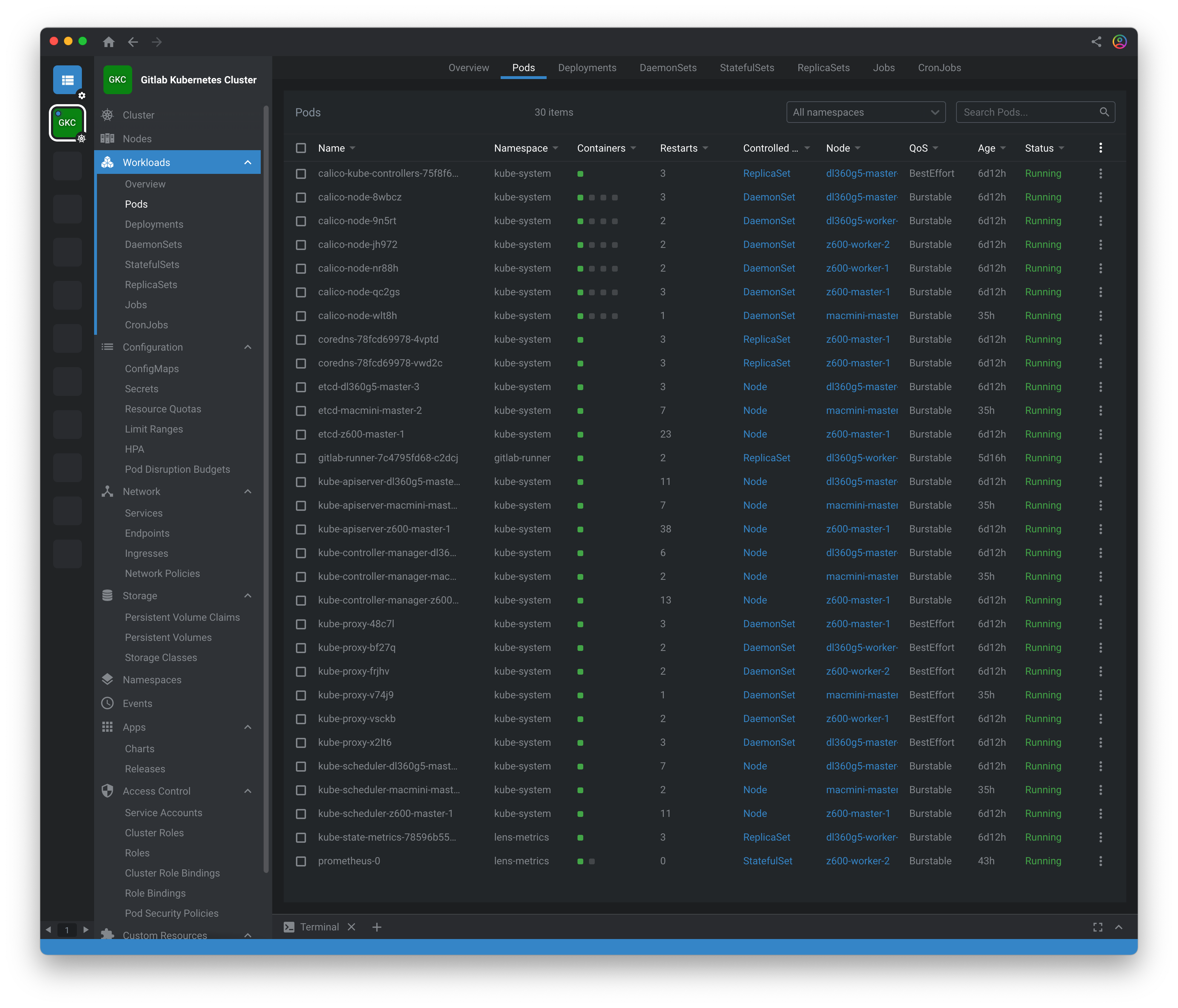
If you are working on Windows 10, I'd recommend installing a Linux subsystem and the new Windows Terminal (with Panes) so you can work easier with all the hosts up at the same time.